-
Search "develop" in Windows Setting, then switch to "Developer mode"
-
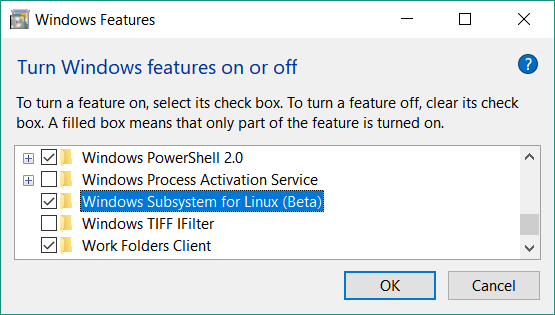
Search "Turn Windows features on of off" in Windows Setting, then enable "Windows Subsystem for Linux (Beta)"
-
Run `bash` in "cmd" to install, and then Done!!
PS.> For some Windows version: search "wsl" on Windows Store, and then select to install "Ubuntu".
#WSL
Leave a Reply